
Lesson
Your Own Tech Plan
Summary
Knowing why apps are addictive doesn't automatically fix a screen habit. Actual change takes a plan. This lesson helps students audit their own tech use and build a S.M.A.R.T. goal to create a healthier relationship with devices.
Bellringer: Digital Trade-Offs
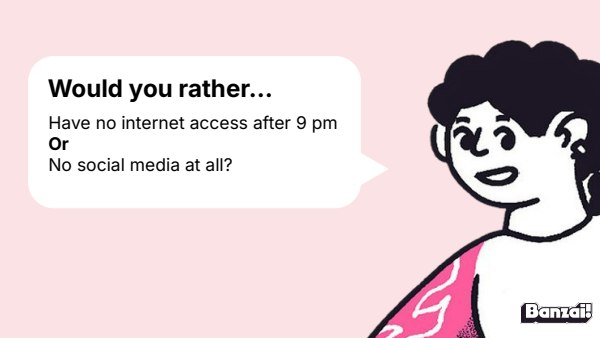
- Display the would-you-rather prompt and have students vote with a show of hands
- Ask a few volunteers to explain their reasoning
Instruction
- Walk through the No Judgment Zone, data-driven auditing, and the S.M.A.R.T. framework across several short slides
- Pause after S.M.A.R.T. slides to check for understanding with a quick example
Discussion: Obstacles and Environmental Shifts
- Brainstorm real-life obstacles that could derail a screen-time goal
- Generate a class list of environmental shift strategies (post-its or shared doc)
Activity: S.M.A.R.T. Goal Worksheet
- Students complete the S.M.A.R.T. worksheet, adapting for their digital wellness goal
- Circulate to help students make goals specific and measurable
Wrap-Up & Assessment
- Explain an environmental shift vs. willpower.
- On a scale of 1-10, how confident are you in your ability to reach your goal? Why?
| Est. Time | Activity | Description |
|---|---|---|
| 5 min | Bellringer: Digital Trade-Offs |
|
| 10 min | Instruction |
|
| 10 min | Discussion: Obstacles and Environmental Shifts |
|
| 15 min | Activity: S.M.A.R.T. Goal Worksheet |
|
| 5 min | Wrap-Up & Assessment |
|
Lesson Prep

Middle School Personal Finance Workbook
Complete pages 5-6 of the workbook, adapting for students' digital wellness goals.
Class Presentation
Includes an 18-slide deck with teacher notes. Present from Banzai, download a PDF, or copy it to Google Slides.




Presentations, Ready to Go
- Built-in PresentationPresent full screen, straight from Banzai
- Copy to Google SlidesMake an editable copy for your class
- Download or PrintSave as a PDF or print
- Teacher NotesSlide-by-slide guidance, printable as one handout
Unit 1: Digital Health & Wellness

Why It's Hard to Stop
Losing 45 minutes to "just a quick scroll" isn't a willpower failure; it's the result of deliberate design choices built by teams of engineers. Explore persuasive design features like infinite scroll, variable rewards, and gamification, and learn why it's not your fault when tech feels impossible to put down.

Comparison & Mood
Every scroll shows you someone else's highlight reel, never their whole story. This lesson unpacks the Highlight Reel Effect and Upward Social Comparison, then teaches students to audit their own emotions before, during, and after social media use.
Your Own Tech Plan
Knowing why apps are addictive doesn't automatically fix a screen habit. Actual change takes a plan. This lesson helps students audit their own tech use and build a S.M.A.R.T. goal to create a healthier relationship with devices.
How do Banzai lesson plans work? See the FAQ.